 November 03, 2026 - BY Admin
The Importance of Digital Storage in the Modern World
What Is Digital Storage?
Digital storage is the process of saving digital information on electronic devices or storage systems so it can be accessed and used whenever needed.
It allows people to store documents, photographs, videos, applications, databases, and other important files without relying on physical paper records.
Digital storage is used everywhere, including homes, offices, educational institutions, healthcare organizations, and businesses.
Why Is Digital Storage Important?
As technology continues to grow, the amount of digital information generated every day is increasing. Individuals and organizations need reliable ways to store and manage this information.
Digital storage offers several advantages:
Keeps important files organized and accessible.
Reduces the need for physical storage space.
Makes sharing information easier.
Supports business operations and collaboration.
Helps preserve important records.
Provides options for backup and data recovery.
Choosing an appropriate storage solution can improve productivity and simplify information management.
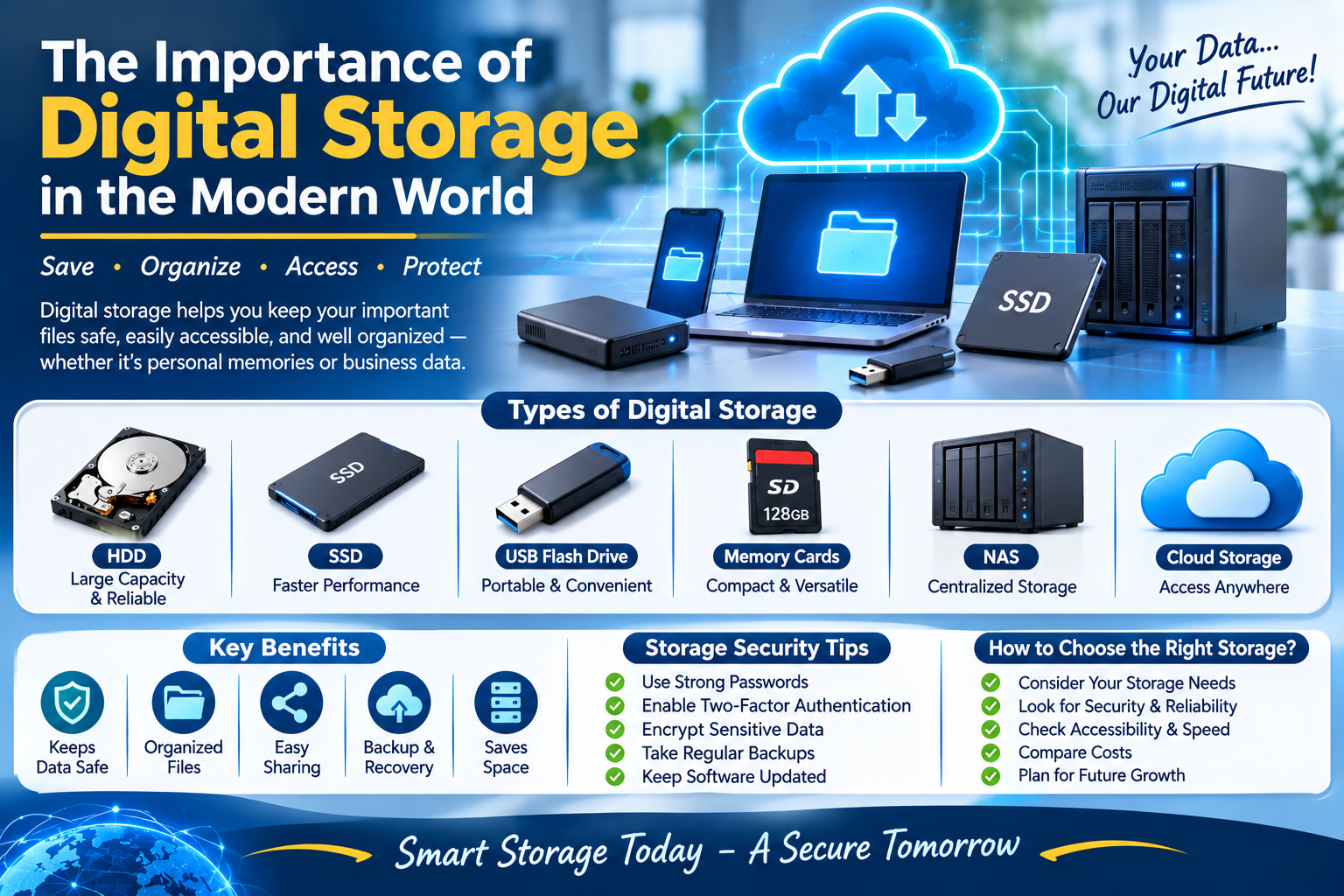
Different Types of Digital Storage
There are several storage technologies available, each designed for different purposes.
Hard Disk Drives (HDDs): HDDs use magnetic storage to save large amounts of data. They are commonly used in desktop computers, laptops, servers, and backup systems.
Solid State Drives (SSDs): SSDs use flash memory and have no moving mechanical parts. They generally provide faster data access and improved performance compared with traditional HDDs.
USB Flash Drives: These portable devices make it easy to transfer and store files between compatible computers and devices.
Memory Cards: SD cards and microSD cards are commonly used in cameras, smartphones, tablets, and other portable electronics.
Network Attached Storage (NAS): NAS devices provide centralized storage that multiple authorized users and devices can access over a network.
Cloud Storage: Cloud storage allows users to save files on remote infrastructure and access them through the internet.
Understanding Cloud Storage
Cloud storage has become a popular option for individuals and businesses because it provides access to files from different locations.
Instead of storing everything on a single physical device, users can upload information to a cloud platform and access it through authorized accounts.
Common cloud storage features include:
File synchronization across devices.
Online file sharing and collaboration.
Storage capacity upgrades.
Version history and file recovery options.
Access controls and security settings.
Cloud storage is useful for remote teams, businesses, students, and individuals who need flexible access to their information.
Storage Solutions for Businesses
Businesses manage large amounts of information, including customer records, financial documents, employee information, applications, and project files.
A suitable storage system helps organizations organize this information and make it available to authorized employees.
Businesses may use local servers, NAS devices, cloud platforms, or hybrid storage environments depending on their requirements.
The right solution should consider storage capacity, performance, security, accessibility, scalability, and long-term costs.
The Importance of Data Backup
Storing information is important, but protecting it against unexpected loss is equally essential.
Hardware failures, accidental deletion, malware, ransomware, and natural disasters can make important files unavailable.
Regular backups create additional copies of important information so it can be restored when necessary.
Businesses should schedule automatic backups, maintain separate backup copies, restrict unauthorized access, and regularly test recovery procedures.
Following the 3-2-1 backup rule is a useful approach: keep three copies of important data, use two different storage types, and maintain one copy off-site or in an appropriately isolated location.
Storage Security and Data Protection
Digital information may contain personal, financial, or confidential business details. Protecting stored information is therefore a major responsibility.
Users and organizations should follow good storage security practices:
Use strong and unique passwords.
Enable multifactor authentication where available.
Encrypt sensitive information when appropriate.
Restrict access to authorized users.
Keep storage devices and software updated.
Monitor unusual account and file activity.
Maintain secure backups.
Review sharing permissions regularly.
These practices help reduce the risk of unauthorized access and data exposure.
How to Choose the Right Storage Solution
Selecting the right storage option depends on how much information needs to be stored and how it will be used.
Before choosing a solution, consider the following factors:
Storage capacity: Estimate current and future storage requirements.
Performance: Consider how quickly files need to be accessed.
Accessibility: Decide whether files must be available remotely or locally.
Security: Check available encryption and access-control features.
Reliability: Evaluate device quality and service availability.
Scalability: Choose a solution that can grow with your needs.
Cost: Compare initial expenses, subscriptions, maintenance, and upgrades.
A well-planned storage strategy should balance convenience, security, performance, and affordability.
Storage Management Best Practices
Good storage management helps prevent unnecessary data accumulation and makes important files easier to find.
Some useful practices include:
Organize files into clearly named folders.
Remove duplicate and unnecessary files.
Use consistent file-naming methods.
Monitor available storage capacity.
Archive information that is not frequently needed.
Review access permissions periodically.
Maintain regular backups.
Establish suitable data retention policies.
These simple steps can make storage systems more efficient and easier to maintain.
The Future of Digital Storage
Digital storage technology continues to evolve as organizations generate and process increasing amounts of information.
Developments in flash storage, cloud infrastructure, high-capacity drives, automation, and intelligent data management are improving how information is stored and accessed.
Businesses are also exploring hybrid storage environments that combine local infrastructure with cloud services to balance performance, control, and flexibility.
As digital information continues to grow, reliable storage, effective security, and efficient data management will become even more important.
Conclusion
Digital storage is an essential part of modern technology. It helps individuals and businesses save information, organize files, collaborate efficiently, and access important data when needed.
By selecting suitable storage solutions, maintaining strong security practices, and creating reliable backup strategies, users can protect their information and manage digital resources more effectively.
A well-organized storage system is not just about having enough space; it is about keeping valuable information accessible, secure, and ready for the future.