How to Stop iPhone Calls from Going Straight to Voicemail
Example: iPhone
Steps:
1. Make Sure Airplane Mode Is Off:
If Airplane Mode is on, your phone won’t ring and all calls will go to Voicemail.
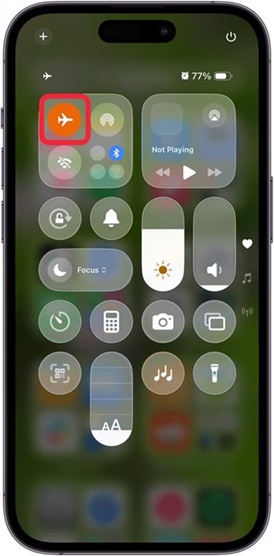
- Open Control Center by swiping down from the upper-right corner of your screen.
- Look at the Airplane Mode icon.
*Orange = Airplane Mode is ON.
*Tap it to turn it gray (OFF).
2. Even if it looks off, try this:
- Turn Airplane Mode ON, wait 1 minute, then turn it OFF again.
3. Turn Off Do Not Disturb & Check Focus Mode:
- Do Not Disturb (DND) and Focus modes stop call from ringing.
- If either one is on, calls may go straight to voicemail.
* Open the Control Center.
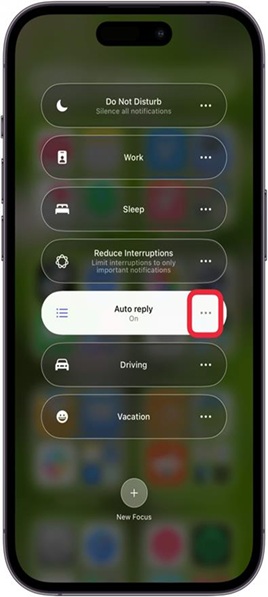
* Tap the Focus Mode icon.
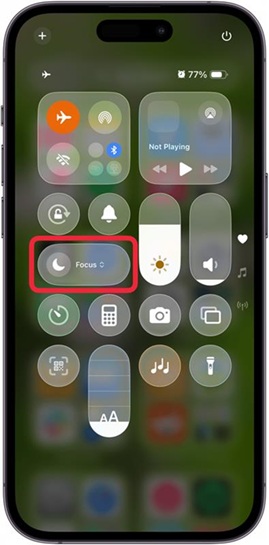
- Make sure Do Not Disturb is not On. If it is, tap it to turn it Off.
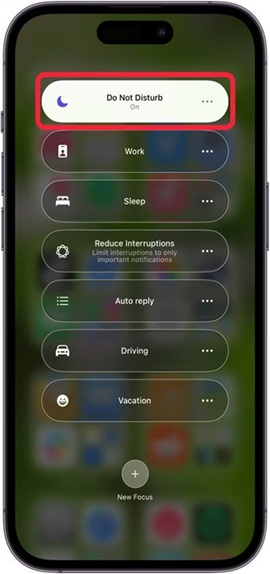
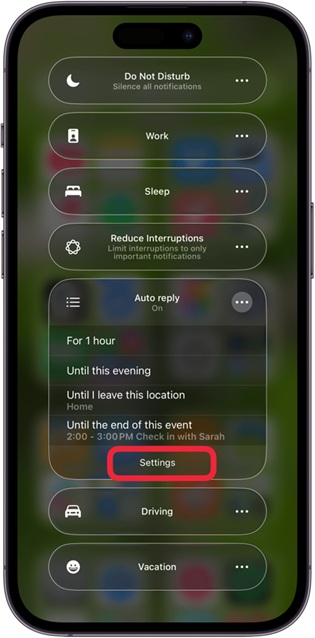
- If another Focus Mode is highlighted, tap the three dots in the highlighted Focus Mode.
- Tap Settings.
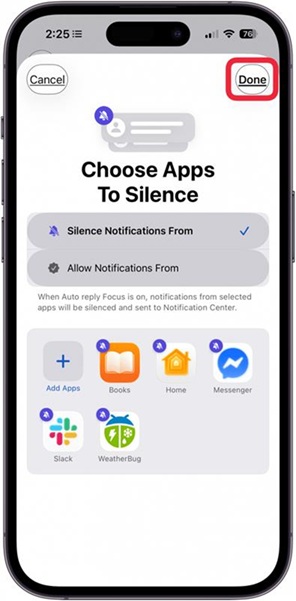
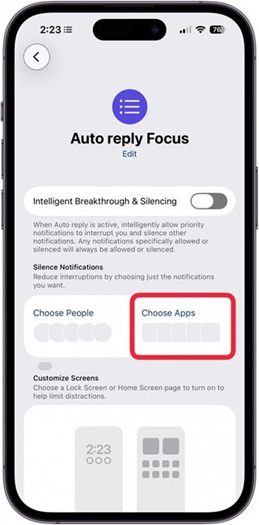
- If you don’t see the Phone icon under apps, tap Choose Apps.
- If Allow Notifications From is checked, tap Add Apps.
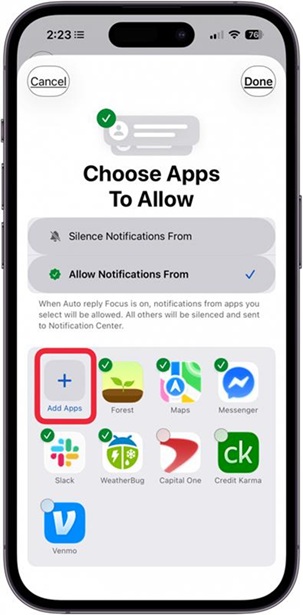
- If Silence Notifications From is checked, tap the minus icon (-) on the Phone app.
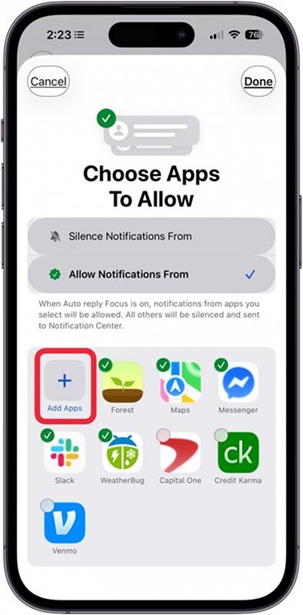
Tap Done to Finish.